Pipeline Reference
Pipelines are defined in HCL. A pipeline file contains variable, resource_type, resource, notification_type, notification, runner, secret_type, secret, service, and job blocks.
variable
Declares a pipeline variable. Variables can be referenced as var.<name> or ${var.<name>} anywhere in the pipeline.
variable "repo_url" {
  type    = string
  default = "https://github.com/PikoCI/pikoci.git"
}

variable "repo_name" {
  type = string
}
| Field | Required | Description |
|---|---|---|
name |
yes | Label on the block |
type |
yes | string |
default |
no | Default value if not set via vars file |
Variables without a default must be provided via a JSON vars file (--vars / -v).
resource_type
Defines how to check, pull, and push a resource. See Resource Types.
resource_type "git" {
  params = ["url", "name"]

  check "exec" {
    path = "/bin/sh"
    args = ["-ec", "git ls-remote $param_url HEAD | awk '{print $1}'"]
  }

  pull "exec" {
    path = "/bin/sh"
    args = ["-ec", "git clone $param_url $param_name && git checkout $version_ref"]
  }

  push "exec" {
    path = "/bin/sh"
    args = ["-ec", "cd $param_name && git push"]
  }
}
| Field | Required | Description |
|---|---|---|
name |
yes | Label on the block |
source |
no | URL to fetch definition (e.g. pikoci://git) |
params |
no | List of parameter names |
runner |
no | Override runner for all commands (see Runners) |
cache |
no | Enable persistent cache for check/pull (see Resource Types) |
check |
no | Runner command block for version checking |
pull |
no | Runner command block for fetching a version |
push |
no | Runner command block for pushing a version |
When source is set, inline commands are not needed. The source is resolved once when the pipeline is created or updated: if the remote definition changes, you must re-set the pipeline to pick up the new version. This applies to all block types that support source (resource_type, runner_type, secret_type, service_type).
resource
An instance of a resource type. See Resource Types.
resource "git" "my_repo" {
  params {
    url  = var.repo_url
    name = "my-repo"
  }
}

resource "cron" "every_10s" {
  check_interval = "@every 10s"
}
| Field | Required | Description |
|---|---|---|
type |
yes | Label, must match a resource_type name |
name |
yes | Label, unique name for this resource |
params |
no | Block with key/value pairs passed to the resource type |
check_interval |
no | Cron expression or @every <duration> for automatic checks |
tags |
no | List of tags to route resource checks to matching workers (see Workers) |
cache |
no | Override the resource type's cache setting (see Resource Types) |
notification_type
Defines how to send a fire-and-forget notification. See Notifications.
notification_type "slack" {
  source = "pikoci://slack"
}

notification_type "custom" {
  params = ["webhook_url"]
  notify "exec" {
    path = "/bin/sh"
    args = ["-ec", "curl -sf -X POST \"$param_webhook_url\" -d '{\"text\": \"'\"$NOTIFY_MESSAGE\"'\"}'"]
  }
}
| Field | Required | Description |
|---|---|---|
name |
yes | Label on the block |
source |
no | URL to fetch the definition from (mutually exclusive with inline notify) |
params |
no | List of parameter names the notification type accepts |
notify |
no | Runner command block that executes the notification logic |
runner |
no | Override runner for all commands (see Runners) |
notification
An instance of a notification type. See Notifications.
notification "slack" "deploys" {
  params {
    webhook_url = var.slack_webhook
  }
  on      = ["success", "failure"]
  message = "Build finished"
}
| Field | Required | Description |
|---|---|---|
type |
yes | Label, must match a notification_type name |
name |
yes | Label, unique name for this notification |
params |
no | Block with key/value pairs passed to the notification type |
message |
no | Default message text (available as $NOTIFY_MESSAGE) |
on |
no | Events for automatic dispatch: success, failure, cancel, all. If omitted, manual-only. |
jobs |
no | Limit automatic dispatch to these job names (requires on) |
exclude |
no | Exclude these job names from automatic dispatch (requires on) |
runner_type
Defines a reusable execution environment. See Runners.
runner_type "docker" {
  run {
    path = "docker"
    args = [
      "run", "--rm",
      "-v", "$WORKDIR:/workdir",
      "-w", "/workdir",
      "$image",
      "$cmd",
    ]
  }
}
| Field | Required | Description |
|---|---|---|
name |
yes | Label on the block |
source |
no | URL to fetch definition (e.g. pikoci://docker) |
run |
yes* | Runner command block defining how tasks are executed |
* Not required when source is set.
When source is set, inline run block is not needed.
secret_type
Defines how to fetch secrets. See Secret Types. The get command should print a JSON object on its last stdout line with key-value pairs that become secret_<key> environment variables. Connection config (address, token, etc.) is set as attributes on the block.
secret_type "vault" {
  source  = "pikoci://vault"
  address = var.vault_address
  token   = var.vault_token
}
| Field | Required | Description |
|---|---|---|
name |
yes | Label on the block |
source |
no | URL to fetch definition (e.g. pikoci://vault) |
params |
no | List of parameter names the get command accepts |
runner |
no | Override runner for all commands (see Runners) |
| other | no | Config attributes passed as param_<key> env vars to the get command |
get |
no | Runner command block that fetches secrets |
When source is set, inline get block is not needed. Use secret-backed variables to consume secrets:
variable "db_password" {
  type = string
  secret "vault" {
    path = "secret/data/db"
    key  = "password"
  }
}

task "migrate" {
  run "exec" {
    path = "/bin/sh"
    args = ["-ec", "DATABASE_PASSWORD=${var.db_password} make migrate"]
  }
}
See Variables for full secret-backed variable documentation.
service_type
Defines an ephemeral process that runs alongside a job's tasks. See Services.
service_type "postgres" {
  params = ["version"]

  start "exec" {
    path = "/bin/sh"
    args = ["-ec", "docker run -d --name pg-$BUILD_NUMBER postgres:$param_version"]
  }

  ready_check "exec" {
    path     = "/bin/sh"
    args     = ["-ec", "docker exec pg-$BUILD_NUMBER pg_isready"]
    interval = "2s"
    timeout  = "30s"
  }

  stop "exec" {
    path = "/bin/sh"
    args = ["-ec", "docker rm -f pg-$BUILD_NUMBER"]
  }
}
| Field | Required | Description |
|---|---|---|
name |
yes | Label on the block |
source |
no | URL to fetch definition (mutually exclusive with inline commands) |
params |
no | List of parameter names for per-job customization |
start |
yes* | Runner command to start the service |
ready_check |
no | Runner command polled until exit 0 or timeout (accepts interval default "1s" and timeout default "60s") |
stop |
yes* | Runner command to stop the service (always runs) |
runner |
no | Override runner for all commands (see Runners) |
* Not required when source is set.
The ready_check block accepts interval (default "1s") and timeout (default "60s") fields.
job
Jobs contain a plan of steps executed in order. Each step is one of get, task, put, notify, or service.
The order in which job blocks appear in the HCL file determines their display order in the pipeline graph. To reorder jobs in the UI, reorder the blocks in your pipeline file and re-apply it.
The optional concurrency attribute limits how many builds of the job can run simultaneously. When the limit is reached, new builds are re-queued and wait until a slot frees up. The default value 0 means unlimited.
The optional timeout attribute limits the total wall-clock time for a build's plan steps. When the timeout is reached, the build fails with a "job timed out" error and on_cancel/ensure hooks still run. If not set, the job runs with no time limit.
| Field | Required | Description |
|---|---|---|
name |
yes | Label on the block |
concurrency |
no | Max concurrent builds (default 0 = unlimited) |
timeout |
no | Max wall-clock time for the build (Go duration string) |
tags |
no | Route to workers with matching tags |
serial_groups |
no | Cross-job mutual exclusion groups |
disable_retry |
no | When true, prevents build retries (default false) |
allow_failure |
no | When true, a failed build is marked as warning instead of failed, unblocking downstream jobs (default false) |
interruptible |
no | When true, creating a new build automatically cancels all older running, pending, and waiting-for-approval builds (default false) |
for_each |
no | Generate job instances from a set or map |
matrix |
no | Generate job instances from cartesian product (mutually exclusive with for_each) |
get |
no | Step block: fetches a resource version |
task |
no | Step block: runs a command via a runner |
put |
no | Step block: pushes to a resource |
notify |
no | Step block: sends a fire-and-forget notification |
service |
no | Step block: references a service type for the job |
in_parallel |
no | Step block: runs multiple steps concurrently |
if / else_if / else |
no | Step block: conditional execution (see below) |
input |
no | Parameterized input block (see below) |
on_success |
no | Hook: runs after all steps succeed |
on_failure |
no | Hook: runs after a step fails |
on_cancel |
no | Hook: runs when the build is cancelled |
ensure |
no | Hook: always runs regardless of outcome |
on_trigger |
no | Hook: runs before any builds are created when a resource version triggers this job (or a transitively dependent job) |
input
Jobs can declare input blocks to accept parameters when manually triggered. Each input becomes an environment variable $INPUT_<name> available to all steps.
| Field | Required | Description |
|---|---|---|
name |
yes | Label on the block |
type |
yes | string, number, or bool |
description |
no | Helper text shown below the field in the UI |
default |
no | Pre-filled value. If omitted, the field is required on manual trigger |
options |
no | List of allowed values (only with type = string). Renders as dropdown |
multiple |
no | Allow selecting multiple options (only with options). Values are comma-separated |
Trigger behavior:
- Manual trigger (UI/CLI): A form is shown with one field per input. Required fields (no default) must be filled.
- Automatic trigger: Defaults are used. If no default exists, zero values are used ("", "0", "false"). Auto-triggers are never blocked by missing inputs.
- Local execution (pikoci run): Pass input values via --var INPUT_<name>=value.
- Retry: Input values from the original build are automatically copied to the retry.
job "deploy" {
  input "version" {
    type        = "string"
    description = "Version to deploy"
    default     = "latest"
  }

  input "environment" {
    type    = "string"
    options = ["staging", "production"]
    default = "staging"
  }

  input "dry_run" {
    type    = "bool"
    default = "false"
  }

  task "deploy" {
    run "exec" {
      path = "./deploy.sh"
      args = ["$INPUT_version", "$INPUT_environment"]
    }
  }
}
A maximum of 20 inputs per job is allowed.
approve
Jobs can include an approve block to require human authorization before builds run. See Approval Gates for full documentation.
Tags
The tags attribute routes a job to workers with matching tags. A job with tags = ["gpu"] will only run on workers started with --tags gpu. The matching uses AND logic: a job with tags = ["gpu", "vpn"] requires a worker with both tags.
Jobs without tags run on any non-exclusive worker.
Tags must be valid slugs (lowercase alphanumeric and hyphens). Maximum 10 tags per job. See Workers for the worker-side configuration.
Serial Groups
The serial_groups attribute provides cross-job mutual exclusion: only one job from a group runs at a time. This is useful for deploy jobs that shouldn't overlap, or any set of jobs that share a resource that can't handle concurrent access.
job "deploy-staging" {
  serial_groups = ["deploy"]

  get "git" "my_repo" { trigger = true }
  task "deploy" {
    run "exec" { path = "./deploy.sh" }
  }
}

job "deploy-prod" {
  serial_groups = ["deploy"]

  get "git" "my_repo" {}
  task "deploy" {
    run "exec" { path = "./deploy.sh" }
  }
}
When deploy-staging is running, deploy-prod will queue until it finishes, and vice versa. Serial groups are scoped per-pipeline.
A job can belong to multiple serial groups. It will only run when none of its groups have a running build from another job.
serial_groups is orthogonal to concurrency: both checks apply. A build must pass both the per-job concurrency limit and the serial group check before starting. Note that serial_groups only provides cross-job mutual exclusion; to also limit a single job to one build at a time, set concurrency = 1 on the job.
for_each
for_each generates multiple instances of a job, each with different configuration. It follows Terraform's semantics. Each instance is a real, independent job with its own builds, status, and logs.
Accepted types:
- Set of strings via
toset():for_each = toset(["a", "b", "c"]) - Map:
for_each = { key1 = "val1", key2 = "val2" }
Raw lists are not accepted (use toset() to convert).
Accessors: Inside a for_each job, use each.key and each.value:
- For sets:
each.keyandeach.valueare both the set element - For maps:
each.keyis the map key,each.valueis the map value
Job naming: Each instance gets a canonical name of {jobname}--{slugified-key}. For example, test with keys ["1.21", "1.22"] produces test--1-21 and test--1-22. Dots, spaces, and special characters are slugified to hyphens.
# Test against multiple Go versions
job "test" {
  for_each = toset(["1.21", "1.22", "1.23"])

  get "git" "code" { trigger = true }
  task "run" {
    run "docker" {
      image = "golang:${each.value}"
      cmd   = "go test ./..."
    }
  }
}
# Creates: test--1-21, test--1-22, test--1-23
# each.key = each.value = "1.21", "1.22", "1.23"

# Deploy to named environments
job "deploy" {
  for_each = {
    "staging" = "us-east-1"
    "prod"    = "eu-west-1"
  }

  task "deploy" {
    run "exec" {
      path = "deploy.sh"
      args = ["--env", each.key, "--region", each.value]
    }
  }
}
# Creates: deploy--staging, deploy--prod
# each.key = "staging", each.value = "us-east-1"

# With variables
variable "go_versions" {
  type    = string
  default = "1.21,1.22"
}

job "test" {
  for_each = toset(split(",", var.go_versions))
  # ...
}
matrix
matrix is syntactic sugar for the common case of testing across combinations (cartesian product). It expands to an equivalent for_each map.
job "test" {
  matrix {
    go = ["1.21", "1.22"]
    os = ["linux", "darwin"]
  }

  task "run" {
    run "exec" {
      path = "/bin/sh"
      args = ["-c", "echo go=${each.value.go} os=${each.value.os}"]
    }
  }
}
# Creates 4 jobs (cartesian product):
#   test--1-21-darwin, test--1-21-linux, test--1-22-darwin, test--1-22-linux
#
# each.key   = "1-21-linux" (slugified composite key)
# each.value = { go = "1.21", os = "linux" } (object with named fields)
matrix is equivalent to writing the for_each map manually:
# This matrix block:
matrix {
  go = ["1.21", "1.22"]
  os = ["linux", "darwin"]
}

# Is equivalent to:
for_each = {
  "1-21-darwin" = { go = "1.21", os = "darwin" }
  "1-21-linux"  = { go = "1.21", os = "linux" }
  "1-22-darwin" = { go = "1.22", os = "darwin" }
  "1-22-linux"  = { go = "1.22", os = "linux" }
}
You can also build the same cartesian product using raw HCL for expressions with setproduct, which gives you full control over key construction:
for_each = {
  for pair in setproduct(["1.21", "1.22"], ["linux", "darwin"]) :
  "${pair[0]}-${pair[1]}" => { go = pair[0], os = pair[1] }
}
This produces the same result as the matrix block above. Use setproduct when you need custom key formatting or want to filter combinations.
matrix and for_each are mutually exclusive on the same job.
passed with for_each jobs
When a downstream job has passed = ["test"] and test is a for_each job, ALL instances must have successful builds before the downstream job runs:
job "test" {
  for_each = toset(["unit", "integration"])

  get "git" "code" { trigger = true }
  task "run" {
    run "exec" {
      path = "/bin/sh"
      args = ["-c", "make test-${each.value}"]
    }
  }
}
# Creates: test--unit, test--integration

job "deploy" {
  get "git" "code" {
    trigger = true
    passed  = ["test"]  # waits for BOTH test--unit AND test--integration
  }
  task "deploy" {
    run "exec" { path = "./deploy.sh" }
  }
}
You can also reference a specific instance by its expanded name ({jobname}--{key}). This is useful when a downstream job only depends on one particular instance rather than the entire group:
job "test" {
  for_each = toset(["unit", "integration"])

  get "git" "code" { trigger = true }
  task "run" {
    run "exec" {
      path = "/bin/sh"
      args = ["-c", "make test-${each.value}"]
    }
  }
}

job "quick-deploy" {
  get "git" "code" {
    trigger = true
    passed  = ["test--unit"]  # only waits for the unit test instance
  }
  task "deploy" {
    run "exec" { path = "./deploy.sh" }
  }
}
Both group names and specific instance names are validated at pipeline load time: referencing a non-existent instance (e.g., "test--lint" when only "unit" and "integration" exist) produces a validation error.
Lifecycle on pipeline update
- Adding a key creates a new job instance
- Removing a key deletes that instance (with build history)
- Existing keys update the instance in place
- Evaluation happens at pipeline create/update time, not at build runtime
job "deploy" {
  concurrency = 1
  timeout     = "30m"

  get "git" "my_repo" {
    trigger = true
  }

  task "deploy" {
    run "exec" {
      path = "./deploy.sh"
    }
  }
}
job "build" {
  get "git" "my_repo" {
    trigger = true
  }

  task "compile" {
    run "exec" {
      path = "make"
      args = ["build"]
    }
  }

  put "git" "my_repo" {
    params {
      name = "my-repo"
    }
  }

  on_success "exec" {
    path = "echo"
    args = ["build succeeded"]
  }

  on_failure "exec" {
    path = "echo"
    args = ["build failed"]
  }

  ensure "exec" {
    path = "echo"
    args = ["cleanup"]
  }
}
get
Fetches a resource version. If trigger = true, the job runs automatically when a new version is detected.
| Field | Required | Description |
|---|---|---|
type |
yes | Label, resource type name |
name |
yes | Label, resource name |
trigger |
no | Auto-run the job on new versions (default false) |
passed |
no | List of job names that must have run with this version first |
timeout |
no | Maximum duration for the step (e.g. "2m", "30s") |
attempts |
no | Maximum number of times to try the step (default 1, no retry) |
on_success |
no | Hook: runs after the step succeeds |
on_failure |
no | Hook: runs after the step fails |
on_cancel |
no | Hook: runs when the build is cancelled |
ensure |
no | Hook: always runs regardless of outcome |
Exported version metadata
After a get step succeeds, its version metadata is automatically forwarded to all subsequent steps as environment variables. The naming convention is GET_<STEPNAME>_<KEY>, where the step name is uppercased with non-alphanumeric characters replaced by _, and the version_ prefix is stripped from the key.
For example, a get "git" "my-repo" step that fetches version {ref: "abc123"} will export GET_MY_REPO_REF=abc123 to all subsequent steps.
These variables are available in both exec and Docker-based steps. The built-in Docker runner uses the $env placeholder to forward all parameters (including exported metadata) into the container as -e flags. If you define a custom Docker runner, include $env in the args to get this behavior (see Runners).
Nested version objects are recursively flattened with _ separators. For example, a version like:
produces the following environment variables for the pull command and subsequent steps:
| Version key | Pull env var | Exported env var |
|---|---|---|
ref |
version_ref=abc123 |
GET_MY_REPO_REF=abc123 |
metadata.sha |
version_metadata_sha=def456 |
GET_MY_REPO_METADATA_SHA=def456 |
metadata.author |
version_metadata_author=alice |
GET_MY_REPO_METADATA_AUTHOR=alice |
Arrays are flattened with numeric indices (e.g. tags: ["v1", "v2"] → version_tags_0=v1, version_tags_1=v2). Numbers and booleans are converted to their string representation.
task
Runs a command via a runner.
| Field | Required | Description |
|---|---|---|
name |
yes | Label on the block |
timeout |
no | Maximum duration for the step (e.g. "10m", "1h") |
attempts |
no | Maximum number of times to try the step (default 1, no retry) |
inputs |
no | List of paths that must exist before the task runs |
outputs |
no | List of paths that must exist after the task finishes |
run |
yes | Runner command block |
on_success |
no | Hook: runs after the step succeeds |
on_failure |
no | Hook: runs after the step fails |
on_cancel |
no | Hook: runs when the build is cancelled |
ensure |
no | Hook: always runs regardless of outcome |
Example with inputs and outputs:
task "build" {
inputs = ["pikoci/"]
outputs = ["bin/pikoci"]
run "exec" {
path = "make"
args = ["build"]
}
}
Paths are checked with os.Stat relative to $WORKDIR and work for both files and directories. If an input is missing, the task fails immediately with a clear error. If an output is missing after the task finishes, the build fails with a descriptive message.
Exporting values with $PIKOCI_OUTPUT
Task steps can export key-value pairs to subsequent steps by writing KEY=VALUE lines to the file pointed to by the $PIKOCI_OUTPUT environment variable. After the task succeeds, the worker parses this file and makes the values available to all subsequent steps as TASK_<STEPNAME>_<KEY> environment variables.
task "build" {
run "exec" {
path = "bash"
args = ["-c", "echo VERSION=1.2.3 >> $PIKOCI_OUTPUT"]
}
}
task "deploy" {
run "exec" {
path = "bash"
args = ["-c", "echo Deploying version $TASK_BUILD_VERSION"]
}
}
This also works with Docker runner tasks. The worker automatically remaps the output file path to the container's workdir:
task "build" {
run "docker" {
image = "golang:1.25"
cmd = <<-EOT
cd my-app
VERSION=$(git describe --tags)
printf '%s\n' "VERSION=$VERSION" >> "$PIKOCI_OUTPUT"
EOT
}
}
Rules for the output file:
- One KEY=VALUE per line (split on first =, values can contain =)
- Lines starting with # are treated as comments and skipped
- Empty lines are skipped
- Keys are uppercased with non-alphanumeric characters replaced by _
- Maximum file size is 1MB
- If the task fails, its output is not parsed
- For multiline values, escape newlines as literal \n (they are converted back when used in notification messages). Use printf '%s\n' instead of echo to avoid the shell interpreting the escape sequences
Naming convention
Step names are sanitized for use in environment variable names: uppercased with all non-alphanumeric characters replaced by _. For example, my-repo becomes MY_REPO and build.app becomes BUILD_APP. Note that different step names may map to the same prefix (e.g. my-repo and my.repo both become MY_REPO); in that case, the last writer wins.
put
Pushes to a resource, running its push command.
| Field | Required | Description |
|---|---|---|
type |
yes | Label, resource type name |
name |
yes | Label, resource name |
timeout |
no | Maximum duration for the step (e.g. "5m", "30s") |
attempts |
no | Maximum number of times to try the step (default 1, no retry) |
params |
no | Block with key/value pairs passed to the resource type |
on_success |
no | Hook: runs after the step succeeds |
on_failure |
no | Hook: runs after the step fails |
on_cancel |
no | Hook: runs when the build is cancelled |
ensure |
no | Hook: always runs regardless of outcome |
notify
Sends a fire-and-forget notification. See Notifications.
| Field | Required | Description |
|---|---|---|
type |
yes | Label, notification type name |
name |
yes | Label, notification name |
message |
no | Overrides the notification's default message |
Any other attributes are passed to the notification type's command with a notify_ prefix.
Notify steps also work in hooks (on_success, on_failure, on_cancel, ensure).
service
References a top-level service_type for the job. Services are started before tasks and stopped unconditionally after.
job "test" {
service "postgres" {
version = "16"
}
get "cron" "timer" { trigger = true }
task "run-tests" {
run "exec" {
path = "make"
args = ["test"]
}
}
}
An empty body references a top-level service block by name. Attributes in the body are param overrides.
in_parallel
Runs multiple steps concurrently within a job.
job "build" {
in_parallel {
limit = 2 # optional: max concurrent steps (0 = unlimited)
fail_fast = true # optional: cancel remaining on first failure (default: false)
get "git" "frontend" { trigger = true }
get "git" "backend" { trigger = true }
task "lint" {
run "exec" { path = "/bin/sh" args = ["-c", "echo linting"] }
}
}
task "build" {
run "exec" { path = "/bin/sh" args = ["-c", "echo building"] }
}
}
| Field | Required | Description |
|---|---|---|
limit |
no | Max concurrent steps. 0 or omitted = no limit. |
fail_fast |
no | Cancel remaining steps on first failure. Default: false. |
get |
no | Step block: fetches a resource version |
task |
no | Step block: runs a command via a runner |
put |
no | Step block: pushes to a resource |
notify |
no | Step block: sends a fire-and-forget notification |
timeout |
no | Wall-clock time limit for the entire group |
attempts |
no | Retry the entire block on failure |
on_success |
no | Hook: runs after the group succeeds |
on_failure |
no | Hook: runs after the group fails |
on_cancel |
no | Hook: runs when the build is cancelled |
ensure |
no | Hook: always runs regardless of outcome |
Allowed inner step types: get, task, put, notify. Services are not allowed inside in_parallel.
Nesting: in_parallel blocks cannot be nested inside other in_parallel blocks.
Exported variables: Steps inside in_parallel see variables exported by steps before the block, but not by sibling parallel steps. After the block completes, all exported variables are available to subsequent steps.
Timeout/Attempts: timeout on the block applies to wall-clock time of the entire group. attempts retries the entire block. Inner steps can have their own timeout and attempts independently.
Hooks: The in_parallel block supports on_success, on_failure, on_cancel, and ensure hooks, which fire based on whether the group as a whole succeeded or failed.
Conditional execution (if / else_if / else)
Conditional blocks let you branch job execution based on runtime values such as resource metadata, task outputs, build metadata, or input parameters.
job "deploy" {
get "git" "app" { trigger = true }
task "test" {
  run "exec" {
    path = "make"
    args = ["test"]
  }
}
if "check-branch" {
condition = "$GET_APP_BRANCH == 'main'"
task "deploy-prod" {
run "exec" { path = "./deploy.sh" args = ["prod"] }
}
}
else_if "check-staging" {
condition = "$GET_APP_BRANCH == 'staging'"
task "deploy-staging" {
run "exec" { path = "./deploy.sh" args = ["staging"] }
}
}
else {
task "skip-deploy" {
run "exec" { path = "echo" args = ["Branch not deployed"] }
}
}
}
Labels: if and else_if blocks take an optional label (e.g. if "check-branch"). The label is used as the display name in the build UI and logs, making it easy to identify which branch was entered or skipped at a glance. else blocks do not take a label.
Chaining: else_if and else must immediately follow an if or else_if block. Only one else is allowed per chain.
Allowed inner step types: get, task, put, notify, service, in_parallel.
Nesting: Conditional blocks cannot be nested inside other conditional blocks.
Multiple chains: A job can have multiple independent if/else_if/else chains.
Condition operators
Conditions are evaluated at runtime. Supported operators:
| Operator | Meaning |
|---|---|
== |
string equality |
!= |
not equal |
> |
greater than (numeric if parseable, else string) |
< |
less than (numeric if parseable, else string) |
contains |
substring match |
!contains |
negated substring match |
&& |
logical AND |
\|\| |
logical OR |
Parentheses are supported for grouping: ($GET_APP_BRANCH == 'main' || $GET_APP_BRANCH == 'develop') && $TASK_TEST_EXIT_CODE == '0'
There is no negation operator. Use != or !contains instead of !.
A $VAR reference is substituted after the expression is parsed, so a value
containing spaces, quotes or operator characters is always compared as data and
never changes the meaning of the condition. Quoting a variable
('$TASK_MSG' == 'ok') is not required.
Available variables
$GET_<STEP>_<KEY>— resource version metadata from get steps$TASK_<STEP>_<KEY>— values exported via$PIKOCI_OUTPUTfrom task steps$BUILD_NUMBER,$BUILD_JOB_NAME,$BUILD_PIPELINE_NAME,$BUILD_TEAM_NAME$INPUT_<name>— input parameter values
Behavior
- No match: If no
if/else_ifcondition is true and there is noelse, all branches are skipped and execution continues. - Empty condition: Treated as
true(always enters the branch). - Bare value: A condition with no operator (e.g.
$INPUT_deploy) is true when the value is non-empty and is notfalseor0. - Malformed condition: The build fails with an error message.
- Failure: If a step inside the entered branch fails, the job fails. There is no fallthrough to the next branch.
- Exported variables: Variables exported by steps in the selected branch are available to subsequent steps after the conditional block.
- Hooks: The
ifblock supportson_success,on_failure,on_cancel, andensurehooks.
Step hooks
Each step (and the job itself) can have on_success, on_failure, on_cancel, and ensure blocks:
on_successruns after the step succeedson_failureruns after the step failson_cancelruns when the build is cancelled (via UI, CLI, or API)ensurealways runs, regardless of success, failure, or cancellation
Hooks can contain runner commands, put steps, or notify steps:
task "deploy" {
run "exec" {
path = "make"
args = ["deploy"]
}
on_failure "exec" {
path = "echo"
args = ["deploy failed"]
}
}
Put and notify steps in hooks use an unlabeled hook block:
job "test" {
task "run-tests" {
run "exec" {
path = "make"
args = ["test"]
}
}
on_success {
notify "github-check" "ci" {
conclusion = "success"
}
}
on_failure {
notify "github-check" "ci" {
conclusion = "failure"
}
}
}
Job-level hooks have access to $BUILD_STATUS (succeeded or failed) in addition to all other build metadata environment variables ($BUILD_NUMBER, $BUILD_JOB_NAME, $BUILD_PIPELINE_NAME, $BUILD_TEAM_NAME).
on_trigger
The on_trigger hook fires before any builds are created when a resource version triggers the pipeline. It fires for every job that is transitively reachable from the triggering resource — both the directly triggered job and any downstream jobs whose passed constraints are satisfied by the trigger.
This is useful for reporting a queued status to external systems (like GitHub Checks) immediately when a commit is detected, rather than waiting for the job to actually start.
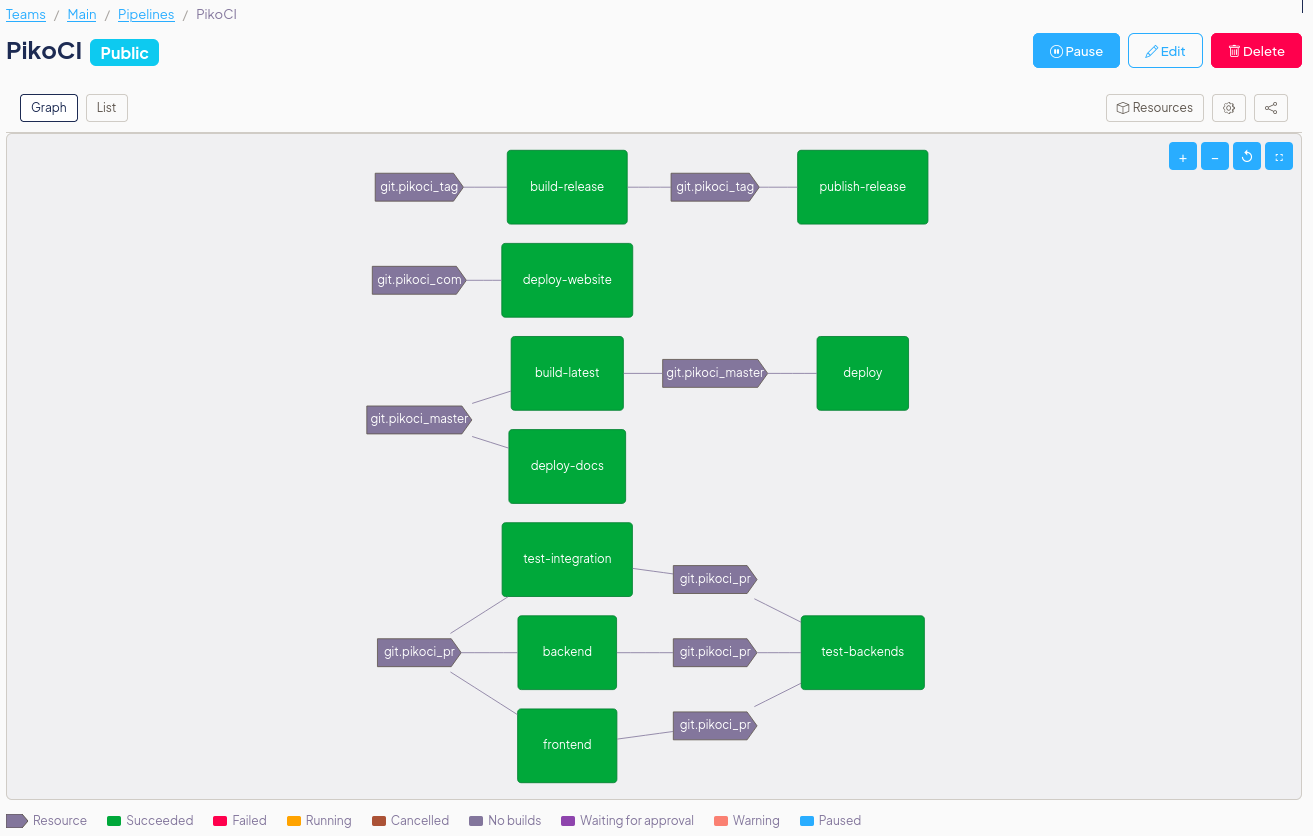
job "test-backends" {
get "git" "repo" {
trigger = true
passed = ["backend", "frontend"]
}
on_trigger {
notify "github-check" "ci" { status = "queued" }
}
notify "github-check" "ci" {
  status = "in_progress"
}
task "run" {
run "exec" { path = "make"; args = ["test"] }
}
on_success {
notify "github-check" "ci" { conclusion = "success" }
}
on_failure {
notify "github-check" "ci" { conclusion = "failure" }
}
}
In this example:
- A new commit is detected on
repo - PikoCI fires
on_triggerfor all reachable jobs (backend,frontend, andtest-backends) before creating any builds — all appear asqueuedon GitHub immediately - Each job starts and fires
notify "github-check" "ci" { status = "in_progress" }as it begins - Each job fires the
on_successoron_failurehook when it finishes
on_trigger environment variables
The on_trigger hook runs outside of any build context — there is no WORKDIR, no build number, and no get/task step outputs. The following variables are available:
| Variable | Description |
|---|---|
$BUILD_JOB_NAME |
Job name |
$BUILD_PIPELINE_NAME |
Pipeline canonical name |
$BUILD_TEAM_NAME |
Team canonical name |
$param_* |
Notification-level parameters (from notification block's params) |
$notify_* |
Step-level parameters (from notify step attributes) |
$version_<key> |
Version metadata fields from the triggering resource (e.g. $version_ref for a git SHA) |
Note: $BUILD_NUMBER is not available in on_trigger because no build has been created yet.
Limitations
on_triggeronly supportsnotifysteps. Runner commands (exec) andputsteps are not allowed.- The hook fires for all transitively reachable jobs, including jobs that may ultimately not run (e.g. because an upstream job fails or is paused). Notification type scripts should be idempotent.
- If an
on_triggernotification fails, the failure is logged but does not block build creation. - There is no WORKDIR in
on_triggercontext. Notification types that rely on reading files from a working directory (e.g.git rev-parse HEAD) must use$version_refor other env vars instead.
Step timeout
Any step can set a timeout to limit how long its runner execution takes. The value is a Go duration string (e.g. "30s", "5m", "1h30m"). If the step exceeds the timeout, the process is killed, the step is marked as failed with a "step timed out after ..." message in the logs, and on_failure/ensure hooks still run normally. If no timeout is set, the step runs with no time limit.
task "long-build" {
  timeout = "10m"
  run "exec" {
    path = "make"
    args = ["build"]
  }
  on_failure "exec" {
    path = "echo"
    args = ["build timed out or failed"]
  }
}
Job timeout
Jobs can set a timeout to limit the total wall-clock time for all plan steps. The value is a Go duration string (e.g. "30m", "1h", "2h30m"). If the build exceeds the timeout, the running step is killed, the build is marked as failed with a "job timed out after ..." message, and on_cancel/ensure hooks still run, just like user-initiated cancellation. If no timeout is set, the job runs with no time limit.
job "integration" {
  timeout = "2h"

  get "git" "my-repo" { trigger = true }
  task "test" {
    timeout = "30m"
    run "exec" {
      path = "make"
      args = ["integration-test"]
    }
  }
}
When both a job timeout and a step timeout are set, whichever expires first takes effect.
Step retry
Any step can set attempts to retry on failure. The value is the maximum number of times the step will be tried (default 1, no retry). If the step fails and attempts remain, the runner is re-invoked. Hooks (on_failure, on_success, ensure) only run after the final attempt. When combined with timeout, each attempt gets a fresh timeout. Attempt markers (e.g. --- attempt 2/3 ---) appear in the build logs starting from the second attempt onward.
task "flaky-test" {
  timeout  = "5m"
  attempts = 3
  run "exec" {
    path = "make"
    args = ["test"]
  }
  on_failure "exec" {
    path = "echo"
    args = ["tests failed after 3 attempts"]
  }
}
Built-in resource type: artifact
The artifact resource type passes build outputs (compiled binaries, test reports, etc.) between jobs in the same pipeline. It stores tarballs on the local filesystem using the cache directory, so no external storage service is required for single-worker setups.
Parameters
| Parameter | Level | Description |
|---|---|---|
dir |
resource | Directory to extract artifacts into during pull |
base_dir |
resource | Override the default storage directory (defaults to $CACHE_DIR) |
dir |
put | Source directory to archive and push as an artifact |
Usage example
resource "artifact" "build-output" {
  params {
    dir = "build-output"
  }
}

job "build" {
  task "compile" {
    run "exec" {
      path = "/bin/sh"
      args = ["-ec", "mkdir -p output && echo 'hello' > output/result.txt"]
    }
  }

  put "artifact" "build-output" {
    dir = "output"
  }
}

job "deploy" {
  get "artifact" "build-output" {
    trigger = true
    passed  = ["build"]
  }

  task "deploy" {
    run "exec" {
      path = "/bin/sh"
      args = ["-ec", "cat build-output/result.txt"]
    }
  }
}
Multi-worker deployments
By default, artifacts are stored under the worker's XDG cache directory. In multi-worker setups, use a shared filesystem (NFS, GlusterFS, etc.) and set the base_dir parameter to point to the shared mount:
resource "artifact" "build-output" {
  params {
    dir      = "build-output"
    base_dir = "/mnt/shared/artifacts/build-output"
  }
}
Build Logs & Security
PikoCI is designed to keep sensitive information out of build logs:
- Command lines are never shown. The command path and arguments are not printed in build output: only the process's stdout and stderr are captured and displayed.
- Secret values are redacted from API responses. When secrets are injected as environment variables, their values are not visible in pipeline configuration returned by the API.
- Public pipeline responses are sanitized. Sensitive fields (secrets, variable values) are stripped from public API responses. See Public Pipelines for details.
- Echoing secrets is the user's responsibility. If a step explicitly prints a secret value (e.g.
echo $SECRET), that output will appear in the build logs. - Debug-level server logs may include commands. When the server is started with debug logging, command details may appear in server-side logs, but these are never exposed to users through the UI or API.
Full example
Using built-in git and docker (no inline resource_type or runner blocks needed):
variable "repo_url" {
  type    = string
  default = "https://github.com/PikoCI/pikoci.git"
}

variable "repo_name" {
  type    = string
  default = "pikoci"
}

resource "git" "pikoci" {
  params {
    url  = var.repo_url
    name = var.repo_name
  }
}

resource "cron" "schedule" {
  check_interval = "@every 10s"
}

job "test" {
  get "git" "pikoci" {
    trigger = true
  }

  task "run-tests" {
    run "docker" {
      image = "golang:1.25"
      cmd   = "cd ${var.repo_name} && make test"
    }
  }
}

job "deploy" {
  get "git" "pikoci" {
    passed  = ["test"]
    trigger = true
  }

  task "deploy" {
    run "exec" {
      path = "echo"
      args = ["deploying..."]
    }
  }

  on_success "exec" {
    path = "echo"
    args = ["deployed"]
  }
}